Compartir reportes de adherencia
Sharing adherence reports
adhere puede mantener informados a tu médico, familiar o cuidador de tres formas distintas — todas configurables por contacto, sin que tengas que reenviar nada manualmente.
adhere can keep your doctor, family member, or caregiver informed in three different ways — all configurable per contact, with nothing you need to forward manually.
Ve a Ajustes → Compartir y toca "Gestionar contactos". Ahí administras la lista de personas que reciben información sobre tu adherencia.
Go to Settings → Share and tap "Manage contacts". That's where you manage the list of people who receive information about your adherence.
Toca "Agregar contacto". El formulario se divide en 3 pantallas cortas.
Tap "Add contact". The form is split into 3 short screens.
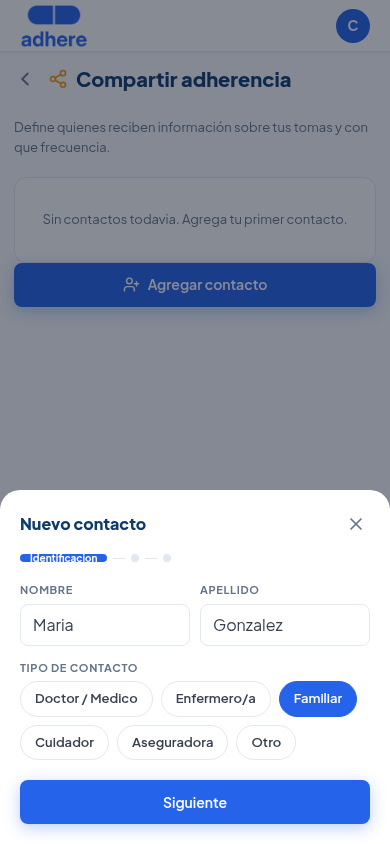
Paso 1 — Identificación: nombre, apellido, y tipo de contacto — hay 6 opciones: Doctor/Médico, Enfermero/a, Familiar, Cuidador, Aseguradora u Otro.
Step 1 — Identification: first name, last name, and contact type — there are 6 options: Doctor/Physician, Nurse, Family member, Caregiver, Insurer, or Other.
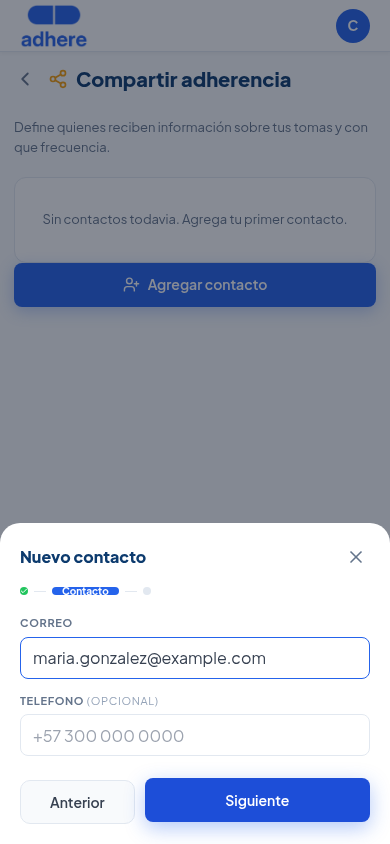
Paso 2 — Contacto: correo electrónico (obligatorio, es donde llegan los reportes) y teléfono (opcional).
Step 2 — Contact info: email (required — this is where the reports arrive) and phone (optional).
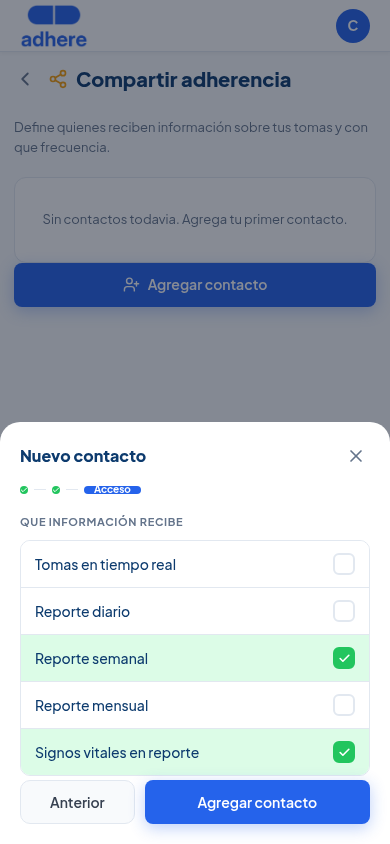
Paso 3 — Acceso: qué información recibe. A diferencia de una versión anterior de esta app, esto no es una sola opción — son 5 casillas independientes que puedes combinar como quieras: Tomas en tiempo real, Reporte diario, Reporte semanal, Reporte mensual, y Signos vitales en reporte (agrega las lecturas de signos vitales dentro de los reportes periódicos).
Step 3 — Access: what information they receive. Unlike an earlier version of this app, this is not a single option — it's 5 independent checkboxes you can combine however you like: Real-time doses, Daily report, Weekly report, Monthly report, and Vital signs in report (adds vital-sign readings inside the periodic reports).
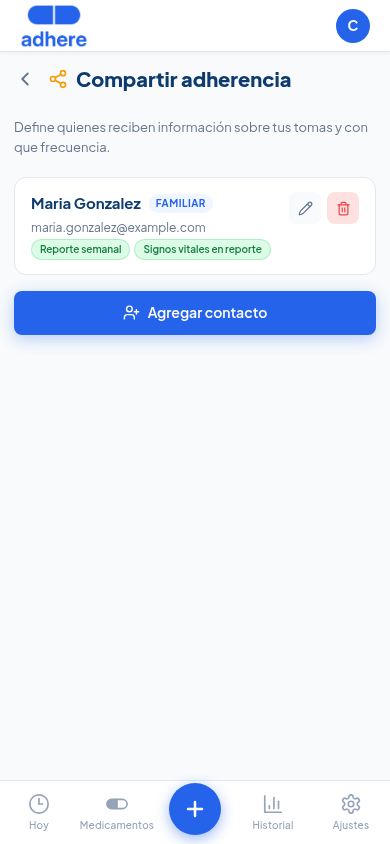
Una vez guardado, el contacto aparece con su tipo y las opciones activas visibles como chips. Puedes editarlo (lápiz) o eliminarlo (papelera) en cualquier momento.
Once saved, the contact appears with its type and active options shown as chips. You can edit it (pencil) or delete it (trash) at any time.
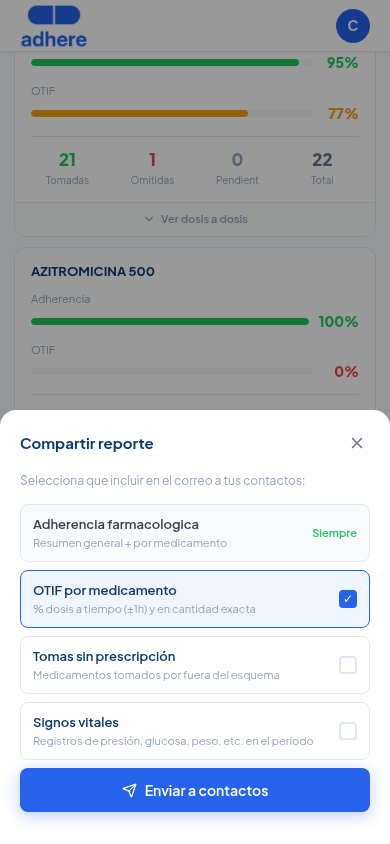
Además de los envíos automáticos, puedes compartir un reporte en el momento — útil antes de una cita médica, sin esperar al próximo ciclo automático. Ve a Historial → pestaña "Reporte" y toca "Compartir reporte".
Besides the automatic sends, you can share a report on the spot — useful before a medical appointment, without waiting for the next automatic cycle. Go to History → "Report" tab and tap "Share report".
Eliges qué incluir: Adherencia farmacológica siempre va incluida, OTIF por medicamento viene marcado por defecto, y puedes sumar Tomas sin prescripción y Signos vitales. Se envía a todos tus contactos guardados con un solo toque.
You choose what to include: Medication adherence is always included, OTIF by medication comes checked by default, and you can add Doses without prescription and Vital signs. It's sent to all your saved contacts with a single tap.
Según lo que marcaste en el Paso 2:
Based on what you checked in Step 2:
- Tomas en tiempo real: un correo inmediato cada vez que confirmas u omites una dosis programada.
- Reporte diario: cada día con el resumen del día anterior.
- Reporte semanal: cada lunes con el resumen de la semana anterior.
- Reporte mensual: el primer día del mes con el resumen del mes anterior.
- Real-time doses: an immediate email every time you confirm or skip a scheduled dose.
- Daily report: every day with a summary of the previous day.
- Weekly report: every Monday with a summary of the previous week.
- Monthly report: the first day of the month with a summary of the previous month.
No necesitas hacer nada más — el sistema envía automáticamente mientras tengas el contacto activo y prescripciones registradas.
You don't need to do anything else — the system sends automatically as long as you have the contact active and prescriptions registered.